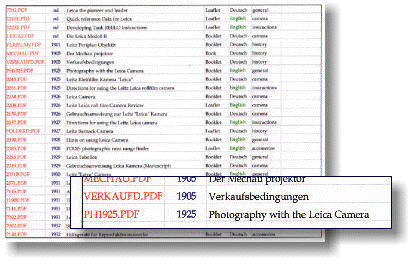
^ CD Index and Pull-out
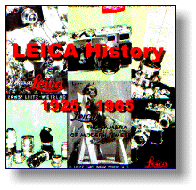
^ Cover of CD

^ Barnack Camera
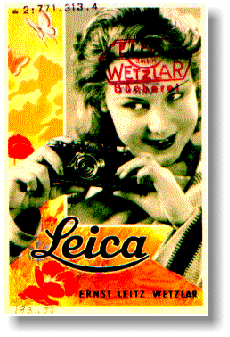
^ Leica Girl

^ 1933 Lenses
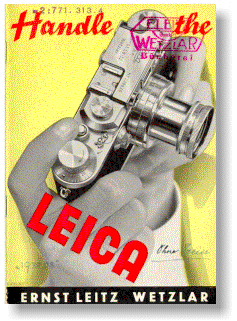
^ Handle the Leica

^ Leitz Factory
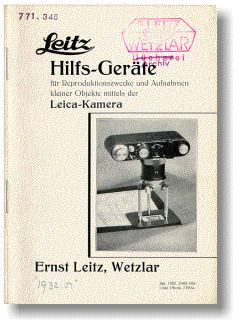
^ Spiderlegs
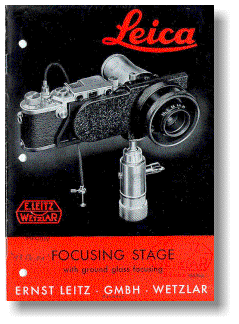
^ 12-9E Focoslide

^ Mechau-Projektor
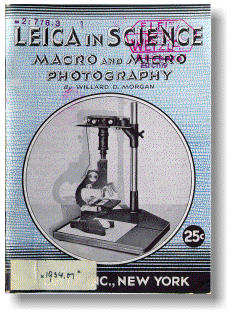
^ Leica in Science
THE PHOTOGRAPHIC HISTORICAL SOCIETY OF CANADA
Leica History 1925 - 1965 CD-ROM
New CD-ROM issued by Erwin Puts
Review by Robert Carter
author | source | content | process | index | sample titles | future | orders
This CD is the first of a number planned to provide inexpensive access to the many historical documents produced by various European camera manufactures.
Author
The material was selected and assembled by Erwin Puts, a well known Leica enthusiast and photographer. You can learn more about Erwin and his opinions at www.imx.nl/photo.
 m e n u
Source
Erwin researched the Leitz Wetzlar archives held by Leica in Solms and selected documents covering the Leica and related accessories. The selection is a mix of catalogues, brochures, instruction books and other materials published over the years 1901 to 1972. Most of the papers are marketing materials.
m e n u
Content
I spent two nights just browsing the CD and still have some files not yet opened. The documents are mostly in English or German. Over half of the brochures are from the pre-war years, items rarely seen by the average collector. I grabbed a few images and scaled them down to make the pictures you see on the left. Many of the early brochures discuss the concept of using a small negative and enlarging the image vs. using a large negative. The balance of the material is post war--items commonly offered in photo fairs 10 to 20 years ago. A few pages (very few) were cropped too tightly in the scanning and publishing process resulting in a slight loss of material. A grasp of the history of the Leica is helpful in determining the relevance of many pieces since Erwin did not provide any added notes or outlines explaining his choices. The material ends at a time when the earlier Leica M series cameras were the choice of professionals everywhere.
m e n u
Process
The documents have been scanned in colour--stamps, binder holes, hand written notations and all. The odd file contains more than one document. The documents range from 2 page leaflets to 40 or 50 page booklets and catalogues. An optional thumbnail pane can be opened in the reader to facilitate hopping around in a document. The document files are actually images stored in PDF format for viewing with the Adobe Acrobat Reader (see below). Since the pages are graphic images, you can't search the text with the Acrobat's find tools. Individual pages in a document can be printed and all or part of an image can be copied to the clipboard and pasted into another program. A modern colour ink jet such as my HP-722 does a fabulous job printing any of the pages. And the vast majority of the material looks equally clear and readable on screen.
m e n u
Index
The index document lists the contents in date order and as it is a text document it can be easily searched in the Acrobat Reader. 170 files are listed, each named with the factory code for the document it contains. Each index entry gives the document name, year of publication, size (booklet, list, catalogue, leaflet), and general subject matter. The German titles may leave you puzzled initially, but you are just a click away from seeing the material and clarifying the meaning of those 15 and 20 letter words...
m e n u
Here is a sampling of the older titles included:
- Leitz Periplan Objektiv (1901) ... early lenses for photomicrography
- Der Mechau Projektor (1905) ... did you know Leitz manufactured movie projectors?
- Photography with the Leica camera (1925) ... it took a lot of persuasion to convince people to try a miniature camera
- The Universal Camera (1931) ... emphasizing the versatility of the Leica system
- Stereoly Stereo Vorsatz (1932) ... the simple prism system which made instantaneous stereo shots possible on the Leica
- Hilfsgerate fur Reproduktionsszwecke (1932) ... how to use the many variations of the early "spider legs" close-up stands
m e n uFuture
A companion volume is planned to cover the period from 1965 to the present day, taking us through Leica's late entry into SLR and point and shoot cameras and merger of the Leitz firm with other Microscope makers resulting in the spin off of the Leica Camera group as a separate company.
m e n u
Orders
If you need old Leica and Leitz materials for reference, this CD is well worthwhile. The price of $65.00US certainly wouldn't buy a copy of even a portion of the documents included on the CD. Mark James Small (Zeiss Historical Society) is the distributor for North America. The CD may no longer be available (2008) - check Erwin's website.
m e n u
< Please click on an image to see it full size.
See below for an example of the CD display format using the Adobe Acrobat Reader.

